
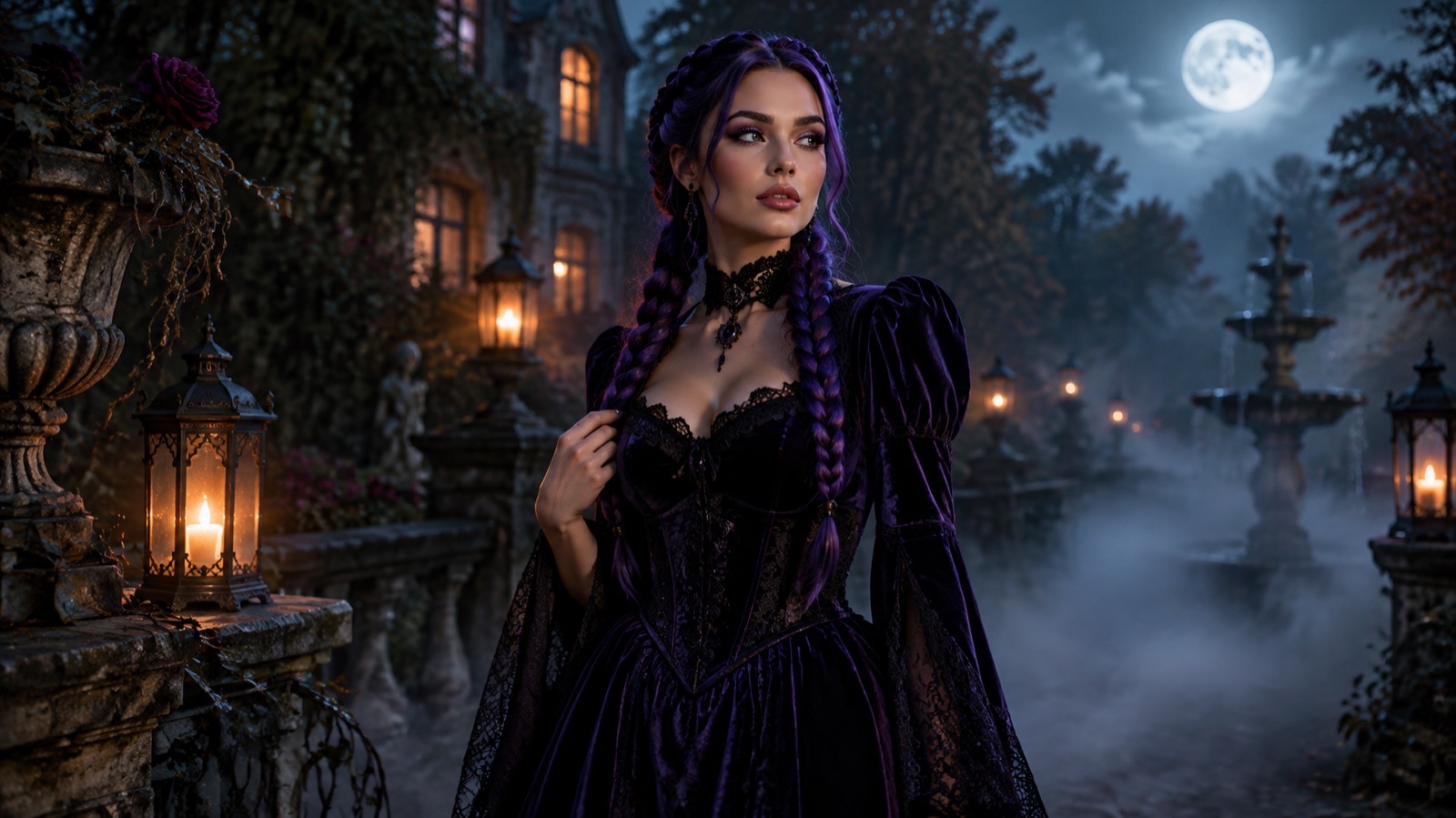
Most Halloween costume searches start with a purchase. This one starts with a photo. If you already have a clear selfie, an image-editing model can show you a costume idea in about the time it takes to compare two product listings — without buying a wig, a cape, or a prop you may wear once.
The generator on this page is the omogle image workspace. It runs image-to-image edits through the model picker you see inside the tool. You upload one photo, choose one of the original presets below, and edit the prompt before you generate. Nothing here is an official costume replica, and no preset copies a licensed character design.
What the AI Halloween costume generator actually does
This is an image-editing workflow, not a costume shop and not a face swap. The model receives your photo plus a written instruction. It keeps the person in the frame, repaints the clothing, hair, makeup, and background, and returns a new image. The instruction matters more than the word Halloween: it has to say what to preserve, what to change, and what to avoid.
Every preset on this page is written that way. The first sentence protects identity and anatomy. The middle sentences describe the costume and the scene. The last sentence lists the failure modes that ruin a portrait: a changed face, an extra hand, duplicated fingers, text, or a watermark. You can edit any preset before generating, and you should when the source photo has unusual lighting or more than one person.
How to generate a costume photo in four steps
The workspace below is the same tool used across omogle. It checks your account and shows any guest quota or credit cost before a paid generation, because credits are tied to your account; browsing the presets and reading the prompts does not require an account.
- 1
Start with one clear photo
Use a front-facing photo where your face is sharp, evenly lit, and not covered by a hat or a hand. A plain background helps the model separate you from the scene. Avoid group photos unless you are using the couple preset.
- 2
Pick a preset and read the prompt
Choose one of the six looks. The full prompt appears in the workspace so you can see exactly what the model is being asked to do. Replace hair colors, fabrics, or locations if you want a different result.
- 3
Choose a model and resolution
The picker shows the current models and their credit cost. Cheaper drafts are useful for testing a direction; a stronger edit model is better for the final portrait. Start at 1K while you experiment, then raise the resolution when the composition works.
- 4
Generate, compare, and refine
If the costume is right but the background is wrong, change only the background sentence. If the face drifted, add a stronger identity-preservation line and reduce the amount of change. Small edits beat a completely new prompt.
What makes a good source photo
The model can only preserve what it can see. A photo taken in a dark room, from a steep angle, or with a filter already applied gives it less information. The best source is boring: daylight, a neutral expression, and a face that fills a reasonable part of the frame.
- Use a JPEG, PNG, or WEBP image under the upload limit shown in the workspace.
- Keep the face unobstructed; sunglasses, masks, and heavy shadows make identity preservation harder.
- Avoid beauty filters that have already changed your skin texture or jawline.
- For a full costume, include enough of the torso that the model has room to draw the outfit.
- If you upload a photo of someone else, get their permission before you generate or share the result.
The six presets and what each one changes
The presets are original looks, not licensed costumes. They are designed to produce a believable portrait rather than a plastic mask. Each card in the gallery sends its prompt into the workspace, where you can edit it before spending credits.
| Preset | What changes | Best source photo |
|---|---|---|
| Midnight Braids | Hair, velvet outfit, moonlit garden | Head-and-shoulders portrait with visible hair |
| Cosmic Princess | Gown, crown, observatory background | Three-quarter or full-body photo |
| Halloween Robot | Wearable armor panels, studio lighting | Front-facing photo with visible shoulders |
| Forest Witch | Layered cloak, practical makeup, forest fog | Outdoor or neutral indoor portrait |
| Skeleton Makeup | Makeup only, plain studio background | Sharp close-up with even lighting |
| Galactic Hero | Original hero suit, gradient studio | Front-facing photo with a neutral pose |
Which image model should you pick?
The model picker is the source of truth for what is available on the day you generate. Different models handle identity, fabric detail, and text differently, and the credit cost changes with the model and resolution. A practical approach is to test the same prompt on a low-cost model at 1K, pick the composition you like, then rerun the winner on a stronger model.
Do not choose a model because a review called it the best. Choose it by comparing two outputs of your own photo. The face you are trying to preserve is the variable that matters, and it is different for every source image.
Keeping the result believable
A costume portrait fails in predictable ways. The face stops looking like the person, the hands turn into extra fingers, the fabric looks like painted plastic, or the background ignores the light on the subject. You can catch most of these by editing the prompt instead of generating again and hoping.
- Put the identity-preservation sentence first, before the costume description.
- Name the lighting direction and the background separately so the model does not blend them.
- Ask for realistic fabric texture and natural skin detail instead of "8K" or "hyperreal".
- Keep the number of people explicit: "keep the same number of people as the uploaded photo".
- If hands are not important, crop them out of the source or ask for a waist-up portrait.
Privacy, credits, and honest limits
Uploaded images are sent to the image provider so it can process the edit. Do not upload a photo you do not have the right to use, and do not upload identity documents or images of children. The omogle privacy policy explains what the site stores; the provider also processes the image under its own terms.
Generation consumes credits from your omogle account. The workspace shows the cost before you run a task, and the pricing page shows the current packs. There is no unlimited free generation, and a failed task should not be treated as a free retry — check the task status before you submit again.
Finally, a generated costume is a preview, not a guarantee of how a physical costume will fit or look. Use it to choose a direction, then buy from a seller whose size chart and return policy you have actually read.
Frequently asked questions
Is the AI Halloween costume generator free?
No. You can browse every preset and read every prompt without an account, but generating an image uses credits from your omogle account. The workspace shows the credit cost before you submit a task, and the pricing page lists the current packs.
Will the generator keep my face recognizable?
The presets instruct the model to preserve your face, skin tone, and proportions, but identity preservation is not guaranteed. Clear, evenly lit source photos work better. If the face drifts, strengthen the preservation sentence and change less of the scene at once.
Can I use the result as my real Halloween costume?
Treat the output as a visual preview. It can help you choose colors, silhouettes, hair, and makeup, but it does not prove that a physical costume will fit or match the render. Check a real seller size chart before buying.
Does it copy official movie or game characters?
No. The presets are original looks. They may be inspired by a trend or a genre, but they are not official replicas and are not intended to reproduce a licensed character design. You are responsible for how you use and share the output.
What happens to the photo I upload?
It is sent to the image provider to process the edit. Do not upload images you do not have permission to use. The privacy policy covers what omogle stores, and the provider processes the image under its own terms.
Can I generate a couple or a pet costume here?
Use the couple and pet pages for those workflows. A couple photo needs a model that supports multiple reference images, and a pet photo needs a prompt that protects the animal breed, fur, and anatomy.