
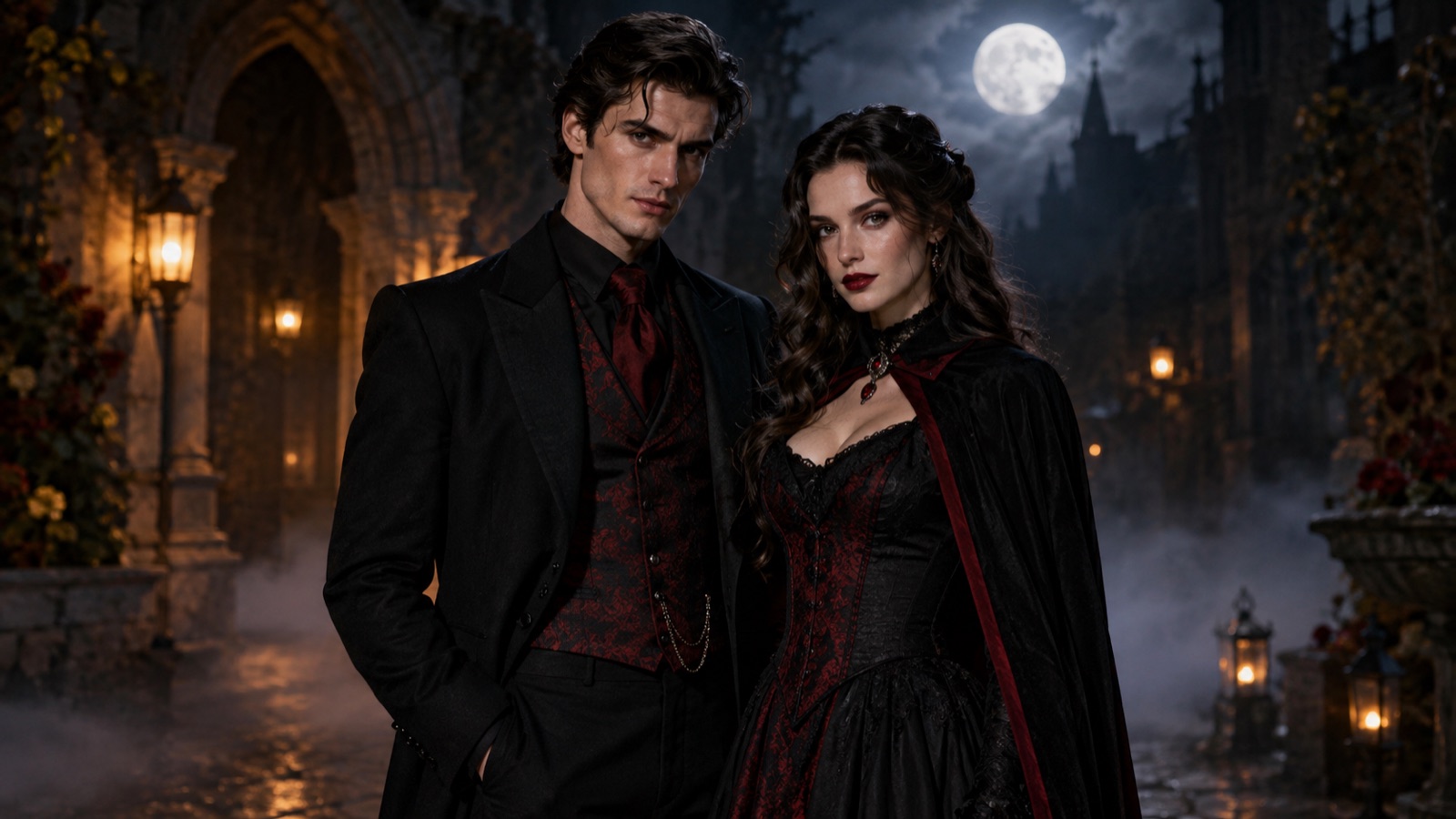
Couple costumes are a coordination problem before they are a shopping problem. Two people have to agree on a theme, a color palette, and how literal the reference should be. A generated portrait is a fast way to see whether a pairing works before either person buys anything.
The workflow on this page is multi-reference editing. You upload one photo per person, describe both costumes in one prompt, and tell the model to keep exactly two people. That last instruction matters: without it, models often add a third figure or merge the two faces.
How multi-reference editing works
A multi-reference edit gives the model more than one source image. Each person is a reference, and the prompt describes the shared scene. The model has to solve three things at once: preserve person A, preserve person B, and make the lighting and composition believable for both.
That is harder than a single portrait. The most common failures are a swapped face, a merged identity, an extra person, and inconsistent light. The presets address all four by naming each person, keeping the count explicit, and asking for consistent lighting across both faces.
How to generate a couple portrait in four steps
Use the Multi Fusion mode in the workspace below. It accepts multiple source images; Single Edit accepts only one.
- 1
Take two separate, similar photos
Use one clear front-facing photo per person, taken in similar light. If one photo is daylight and the other is a dark club, the model has to reconcile two lighting setups before it can draw the costumes.
- 2
Choose a pairing and read both costume sentences
The preset describes two outfits in one prompt. If you change one outfit, keep the other sentence intact so the model still knows which person gets which costume.
- 3
Upload both photos in Multi Fusion
Add one image per person. Do not upload a group photo and ask the model to pick two people; it will usually keep everyone and add a third.
- 4
Check faces before costumes
If a face is swapped or merged, stop and fix the identity sentences. A perfect costume on the wrong face is not a usable result.
Six pairings that read at a glance
A good couple costume is legible in a thumbnail. The two halves should contrast in silhouette or color, not just in theme. These pairings are built around that contrast.
| Pairing | Contrast | Best scene |
|---|---|---|
| Cowboy & Angel | Earth vs air | Desert dusk |
| Vampire & Mortal | Dark vs warm | Candlelit stone room |
| Pirate & Siren | Rugged vs flowing | Rocky coast at blue hour |
| Skeleton & Reaper | Printed vs draped | Foggy autumn field |
| Disco Duo | Green vs gold | Warm party room |
| Moon & Sun | Cool vs warm | Twilight gradient |
Source photo checklist for two people
The model cannot preserve a face it can barely see. For a couple edit, the source photos matter more than the prompt length.
- One person per photo; no arms around shoulders in the source.
- Similar camera height and similar light direction.
- Both faces sharp and unobstructed.
- Enough torso visible for the costume to have room.
- Permission from both people before you upload or share.
Original costumes, not character replicas
The pairings are genre directions, not licensed costumes. "Cowboy and angel" and "moon and sun" are generic ideas. Avoid asking the model to reproduce a specific film couple, a branded costume, or a celebrity red-carpet look.
If you want a reference from a real photo, use it for color and silhouette, not for a face or a logo. And do not present the generated image as a photo of a real event.
Frequently asked questions
Can the generator keep both faces recognizable?
The prompts instruct the model to preserve both identities, but multi-person identity preservation is harder than a single portrait. Use two clear, similarly lit photos and check the faces before judging the costumes.
Why do I need Multi Fusion mode?
Multi Fusion accepts more than one source image, which is how the model sees both people. Single Edit accepts one image and is intended for a single-subject portrait.
What if the model adds a third person?
Add or strengthen the instruction "keep exactly two people" and remove any group photo from the references. If the source photos contain other people, crop them out before uploading.
Can we use this for a wedding or engagement photo?
You can use it as a concept preview, but do not present a generated image as a real wedding photo. For a real event, hire a photographer and use the generator only for planning.
Are the couple costume ideas original?
Yes. The presets are generic genre pairings written as original costumes. They are not official replicas of any film, brand, or celebrity look.