
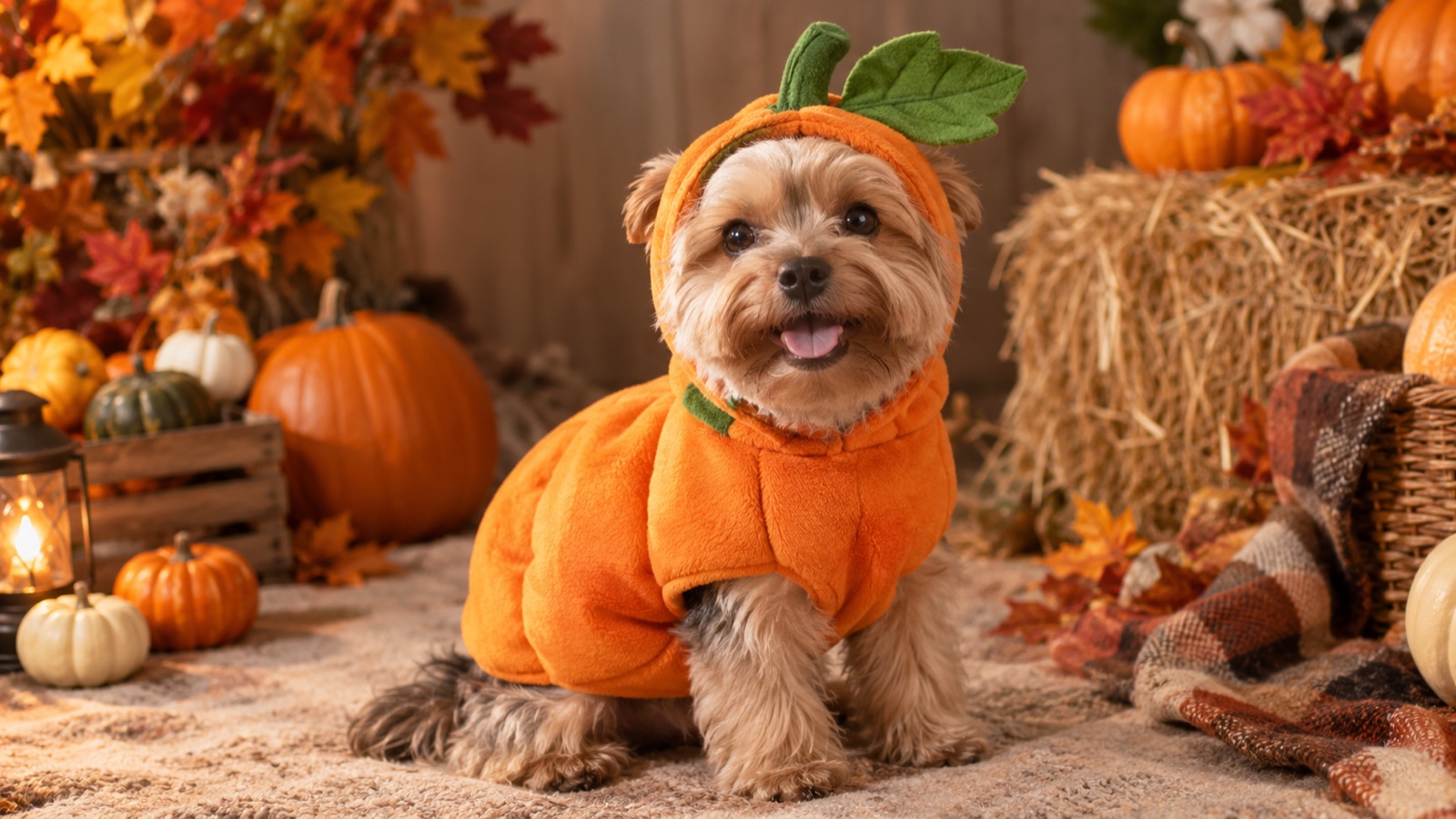
Pet costumes are funny because the animal did not agree to them. A generated portrait gets the joke without putting a real animal in a tight outfit for a photoshoot. The best results keep the pet unmistakably itself: same breed, same fur pattern, same eyes.
The presets below are written for that constraint. They describe a soft, wearable costume and explicitly protect the animal face. They are image edits, not a shopping guide, and they do not replace a vet or a trainer judgment about a real costume.
What a pet costume edit can and cannot do
The model can change the clothing, the background, and the lighting. It should not change the animal. A good pet edit keeps the breed, the fur pattern, the eye color, and the body shape, because those are what make the portrait recognizable.
It cannot tell you whether a real costume is safe or comfortable. A generated image can show a cute idea, but a physical costume still needs to fit without restricting movement, vision, hearing, or breathing. If a real costume covers the eyes or pulls at the neck, it is not safe, no matter how good the render looks.
The safe-pet prompt rules
Every preset on this page follows four rules. Use them when you write your own pet prompt.
- Preserve the breed, fur color, markings, eye color, and anatomy in the first sentence.
- Keep the costume loose and away from the eyes, ears, and mouth.
- Put the pet in a calm, familiar scene rather than a dangerous one.
- Avoid extra animals, duplicated limbs, and unrealistic paws.
How to get a clean pet portrait
Take the photo at the pet eye level, in daylight, with a plain background. A photo from above makes the body look short and gives the model little room for a costume. A photo in a dark room hides the fur pattern the model is supposed to preserve.
If the pet is lying down, say so in the prompt. If the pet is mid-run, expect motion blur and a harder edit. A calm sitting pose is the easiest source for a costume portrait.
- 1
Choose a clear, eye-level photo
Daylight, plain background, full head and torso visible. Avoid a photo where the pet is turning away.
- 2
Pick a costume that fits the pose
A sitting pet works with a cape or a pumpkin shell. A standing pet works with a jacket or a dinosaur suit. Do not ask for a costume that requires a pose the pet is not in.
- 3
Keep the face untouched
Add "do not cover the eyes, ears, or mouth" to every prompt. Check the eyes first when the result arrives.
- 4
Use a calm background
A studio or a warm room is easier than a busy park. The costume should be the joke, not the background.
Six pet costumes that work as images
These are chosen because the silhouette is readable on a small screen and the costume does not need to cover the face.
| Preset | Why it works | Best pet pose |
|---|---|---|
| Pumpkin Pet | Round body, simple shape | Sitting |
| Glow Dinosaur | Back spikes read in profile | Standing or lying |
| Baked Potato | Absurd and low-effort | Curled up |
| Stick of Butter | Flat shape, high contrast | Lying down |
| Tiny Witch | Seasonal and small | Sitting |
| Tiny Knight | Cape and helmet silhouette | Standing |
Real costumes: safety first
If you plan to buy a real costume after generating an idea, check the seller size chart and the return policy. Introduce the costume slowly, let the pet sniff it, and stop if the pet freezes, scratches, or tries to remove it. Never leave a costumed pet alone.
A generated portrait is a preview, not a recommendation. Some pets tolerate costumes; many do not. A photo of the pet without a costume is still a good Halloween photo.
Frequently asked questions
Can I turn my dog or cat into a Halloween costume portrait?
Yes. Upload a clear, eye-level photo of the pet and choose a preset. The prompts preserve the breed, fur, markings, and face while adding a soft costume and a new scene.
Will the AI change my pet face?
The prompts instruct the model to preserve the animal face, but edits can drift. Check the eyes, ears, and fur pattern first. If the face changed, restore the preservation sentence and simplify the costume description.
Is it safe to put a real costume on my pet?
Only if the costume fits loosely, does not cover the eyes, ears, or mouth, and the pet is comfortable. Introduce it slowly and never leave the pet alone in a costume. A vet or trainer can advise on your specific animal.
Can I generate more than one pet in the same photo?
The single-pet presets are designed for one animal. For multiple pets, use a multi-reference workflow and explicitly say how many animals should appear, or create separate portraits.
Are the pet costume images free?
Browsing and copying prompts is free. Generating an image uses credits from your omogle account, and the workspace shows the cost before you submit.