
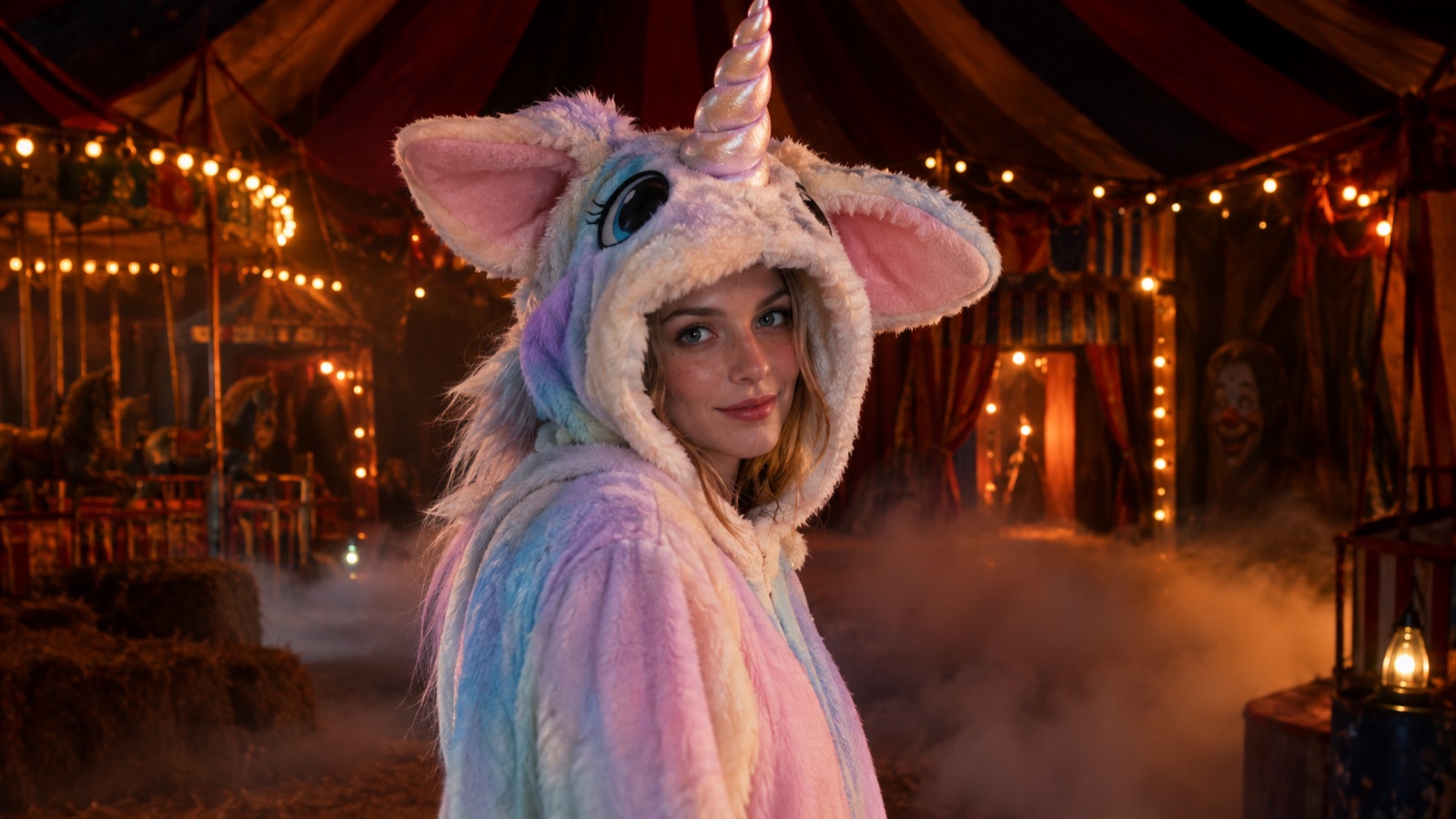
A unicorn mascot should be cute. The 2026 trend made it unsettling instead: a pastel horn, a mascot head with a fixed smile, and a children party palette lit like a horror scene. That contrast is why the look spread from costume rankings into social feeds.
This page treats the trend as a visual direction, not a licensed character. The presets are original haunted-unicorn looks. They use the same contrast — soft pastel surface, dark carnival light — without copying a specific film design, logo, or costume product.
What the Buddy the Unicorn trend is
Halloween retail rankings in 2026 put a unicorn mascot costume near the top of the adult costume list. The appeal is the mismatch: a children party mascot rendered as a horror character. Search interest rose sharply in early autumn, and the look moved from costume listings into short-form video.
The important detail for anyone making a page or an image is that the trend is a mood, not a single copyrighted design. A pastel horn, a plush mascot silhouette, and a dark carnival setting are visual ingredients. You can use those ingredients without reproducing a specific film character, a costume product, or a logo.
Why the look works as an AI costume edit
The contrast is easy for an image model to understand: soft material against a dark scene, a cute prop against a serious face. You do not need a full-body mascot suit to get the idea. A horn headpiece, a plush hood, or a pastel mane is enough to signal the trend while keeping the portrait usable.
The presets below stay away from full-face mascot heads. A mask hides the one thing that makes a costume portrait worth sharing — the person. Keeping the face visible also makes identity preservation easier for the model.
The six original presets
Each preset is a different amount of costume. Start with the smallest edit that gives you the look you want, especially if you plan to use the photo as a profile picture.
| Preset | Costume level | Best for |
|---|---|---|
| Haunted Unicorn Mascot | Plush hood and collar | A full trend reference |
| Pastel Nightmare | Outfit and makeup | A softer, fashion-led edit |
| Glitter Horn Portrait | Accessory only | Profile photos and close-ups |
| Unicorn Hoodie | Casual clothing | Everyday portraits |
| Rainbow Mane | Hair only | Beauty and color experiments |
| Dark Carnival Unicorn | Outfit and scene | A cinematic full look |
Keeping the result original
Do not ask the model to reproduce a specific film character, a named costume product, or a studio logo. Do not upload a copyrighted costume photo as a reference and ask for a copy. The presets here describe an original design, and the prompts explicitly say so.
If you publish the image, describe it as an original haunted-unicorn concept, not as official merchandise or a scene from a film. That keeps the page honest and avoids implying an endorsement that does not exist.
- Use generic visual ingredients: pastel plush, spiral horn, dark carnival, warm bulbs.
- Avoid character names in the generation prompt.
- Do not copy a product photo or a costume pattern.
- Do not imply the output is official or endorsed.
- Credit the photographer if the source photo was taken by someone else.
Source photo tips for a mascot-style edit
A front-facing portrait with the shoulders visible gives the model room for a hood or a collar. If the source is a tight crop on the face, the costume has nowhere to go. Step back half a meter and take the photo again.
Avoid a busy background. The presets add their own scene, and a complex source makes the edge between hair and background harder to replace. A plain wall is enough.
Frequently asked questions
Is this an official Buddy the Unicorn costume generator?
No. It is an independent image-editing page that generates original haunted-unicorn concepts. It is not affiliated with the film, its studio, or any costume seller, and it does not reproduce a licensed character design.
Can I generate the exact costume from the film?
No. The presets are original looks built from generic visual ingredients. Asking a model to reproduce a specific character design can create intellectual-property problems, and the result is not an official costume anyway.
Why do the prompts keep the face visible?
A full mascot head hides the person and makes the portrait less useful. Keeping the face visible also gives the model a stable identity reference, which reduces warping and face changes.
Can I use the image as a costume reference for a real outfit?
Yes, as a visual reference for colors, materials, and silhouette. It is not a sewing pattern and does not guarantee that a real costume will fit or look the same. Check a real seller size chart before buying.
Does this page sell a costume?
No. It is an image-generation page. Any physical costume purchase happens with a separate seller, under that seller terms and return policy.