
Halloween Pet Costume Ideas That Work as Photos
Nine pet Halloween costume ideas chosen for a readable silhouette, plus AI prompt rules that protect the animal face, fur, and anatomy on every pet edit.
On this page
Short answer: the best pet Halloween costumes have a simple, readable silhouette and leave the animal's face alone. A pumpkin shell, a dinosaur back, a butter stick, or a tiny cape all read in a thumbnail. A full face mask does not, and it is usually uncomfortable for the animal.
Pet costumes are a different design problem from human costumes. You cannot explain the joke to the pet, you cannot adjust the fit mid-party, and the animal's comfort is the hard constraint. A generated portrait lets you test the idea without putting a real animal in a costume.
This guide covers nine ideas that work as images, the prompt rules that keep the pet recognizable, and the safety rules for a real outfit. The playable workflow is on the Halloween pet costume generator page.
The silhouette rule
A pet costume has about one second to read on a phone screen. That means the shape has to be obvious from the side or from above.
Good silhouettes:
- A round pumpkin shell around the body.
- A row of dinosaur spikes along the back.
- A rectangular butter stick with a paper wrapper.
- A small cape and a pointed hat.
- A plush hood that sits behind the ears.
Bad silhouettes:
- A full-face mask. It hides the pet and usually covers the eyes.
- A costume that depends on the pet standing perfectly still.
- A costume with dangling pieces near the mouth or paws.
- A costume that requires a wig or a hat balanced on the head.
The silhouette rule is also an AI prompt rule. If the shape is simple, the model can draw it consistently. If the costume depends on a specific licensed design, the model will approximate it badly and the result will look like neither the reference nor an original.
Nine ideas that work
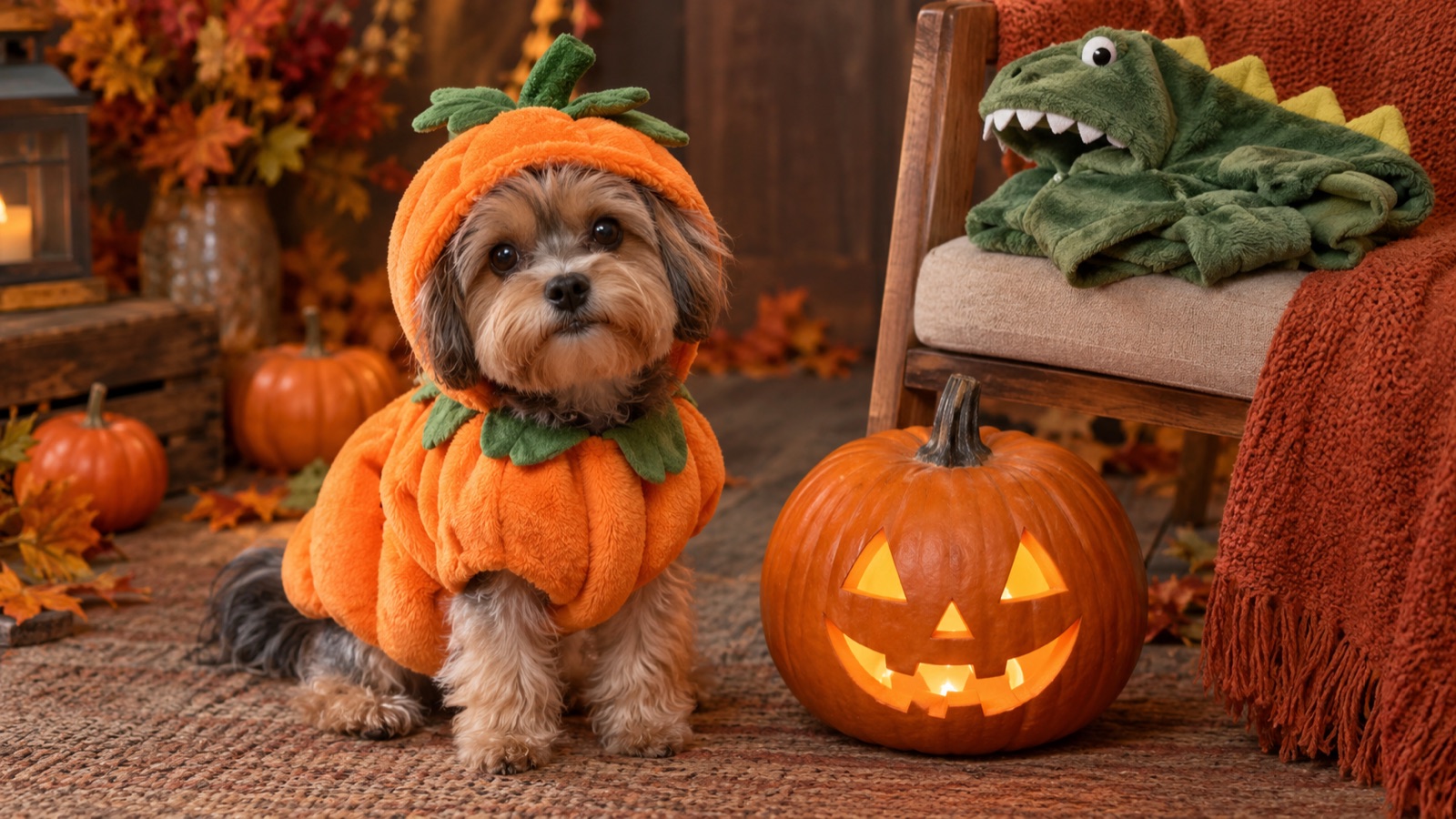
1. Pumpkin pet
A soft pumpkin shell with a small green leaf. The round shape works on a sitting cat or a small dog. It is the most recognizable Halloween pet costume and the easiest to generate.
2. Glow dinosaur
A soft dinosaur suit with rounded back spikes. The spikes read in profile, and a faint green glow gives the image a night-scene mood without changing the animal's face.
3. Baked potato
A brown oval costume with a butter pat and a sprig of parsley. This is an internet-humor costume: the joke is the absurdity, not the realism. It works best on a pet that is already curled up.
4. Stick of butter
A pale yellow rectangular costume with a simple wrapper detail. Like the potato, it is a shape joke. Keep the costume loose around the neck and away from the face.
5. Tiny witch
A black cape, a small pointed hat between the ears, and a purple collar. The hat should sit behind the ears, not on top of the head, so the animal's ears stay free.
6. Tiny knight
A padded silver-gray chest piece, a small cape, and a lightweight helmet that sits behind the ears. Avoid weapons; they add nothing to the photo and create a safety question.
7. Soda can
A cylinder costume with a simple label shape. Do not reproduce a real brand logo. A generic silver can reads just as well and avoids trademark problems.
8. Christmas tree
A green cone with a few soft ornaments. It is a seasonal crossover, and the cone shape is easy to read. Keep the ornaments attached, not dangling.
9. Toy horse
A soft pony harness with a fake mane. This works on a medium or large dog. The harness has to be loose and must not restrict the shoulders.
The AI prompt rules
A pet edit fails when the model changes the animal. The breed, fur pattern, eye color, and body shape are what make the portrait recognizable. Every prompt on the pet page follows four rules:
- Preserve the animal first. Breed, fur color, distinctive markings, eye color, facial appearance, and natural anatomy go in the first sentence.
- Keep the costume away from the face. Say "do not cover the eyes, ears, or mouth" explicitly.
- Use a calm scene. A studio, a warm room, or a plain background. Avoid a busy park or a dangerous scene.
- Avoid extra animals and distorted anatomy. A second pet or a duplicated paw is a common failure.
Here is the structure, using the pumpkin pet:
Use the uploaded pet photo as the primary reference. Preserve the animal's original breed, fur color, distinctive markings, eye color, facial appearance, and natural anatomy. Dress the pet in a soft pumpkin-inspired Halloween costume with a small green leaf accessory. Keep the costume fitted naturally and do not cover the animal's eyes, ears, or mouth. Place the pet in a cozy autumn photography studio with warm lighting and miniature pumpkins. Create a photorealistic professional pet portrait with realistic fur texture and natural shadows. Avoid extra animals, unnatural paws, duplicated limbs, text, and watermarks.
The phrase "fitted naturally" is doing work. Without it, some models draw a rigid shell that looks like a product render rather than a costume on a living animal.
Photo tips
Take the photo at the pet's eye level, in daylight, with a plain background. A photo from above makes the body look short and gives the model little room for a costume. A photo in a dark room hides the fur pattern the model is supposed to preserve.
If the pet is lying down, say so in the prompt. If the pet is mid-run, expect motion blur and a harder edit. A calm sitting pose is the easiest source for a costume portrait.
Crop out other animals and people before uploading. A second face in the background often becomes a second animal in the output.
Real costumes: safety first
If you plan to buy a real costume after generating an idea, check the seller's size chart and return policy. Introduce the costume slowly, let the pet sniff it, and stop if the pet freezes, scratches, or tries to remove it. Never leave a costumed pet alone.
A costume should not cover the eyes, ears, or mouth, and it should not restrict walking, breathing, or going to the bathroom. If it does, it is not safe, no matter how good the render looks.
Some pets tolerate costumes; many do not. A photo of the pet without a costume is still a good Halloween photo. Do not force it.
AI preview vs a real outfit
A generated portrait is a preview of a direction, not a product recommendation. It can show you whether a pumpkin shape or a dinosaur silhouette suits your pet's body. It cannot tell you how a real costume will fit or whether the material will irritate the animal.
Use the image to choose a shape and a color, then buy from a seller with a clear return policy. If you are making the costume, use the image as a mood board, not a pattern.
Frequently asked questions
Can I turn my dog or cat into a Halloween costume portrait?
Yes. Upload a clear, eye-level photo of the pet and choose a preset. The prompts preserve the breed, fur, markings, and face while adding a soft costume and a new scene.
Will the AI change my pet's face?
The prompts instruct the model to preserve the animal's face, but edits can drift. Check the eyes, ears, and fur pattern first. If the face changed, restore the preservation sentence and simplify the costume description.
Is it safe to put a real costume on my pet?
Only if the costume fits loosely, does not cover the eyes, ears, or mouth, and the pet is comfortable. Introduce it slowly and never leave the pet alone in a costume. A vet or trainer can advise on your specific animal.
Can I generate more than one pet in the same photo?
The single-pet presets are designed for one animal. For multiple pets, use a multi-reference workflow and explicitly say how many animals should appear, or create separate portraits.
Make a pet portrait
Open the Halloween pet costume generator, choose a silhouette, and upload one clear photo. If you want the exact prompt text for a different idea, the Halloween AI prompts page has a pet formula you can adapt.
Related guides
How to Turn a Selfie Into a Halloween Costume
A step-by-step guide to turning a selfie into a Halloween costume portrait with AI: source photo, costume prompt, identity preservation, and model choice.
ReadBest Halloween AI Prompts for 2026
12 Halloween AI prompt formulas for portraits, couples, pets, backgrounds, and short videos, with the exact preserve-change-light-avoid structure that works.
ReadBuddy the Unicorn Costume Trend, Explained
Why the haunted unicorn mascot became a 2026 Halloween trend, how to build an original look, and how to avoid copying a licensed character or costume design.
Read